Open and load
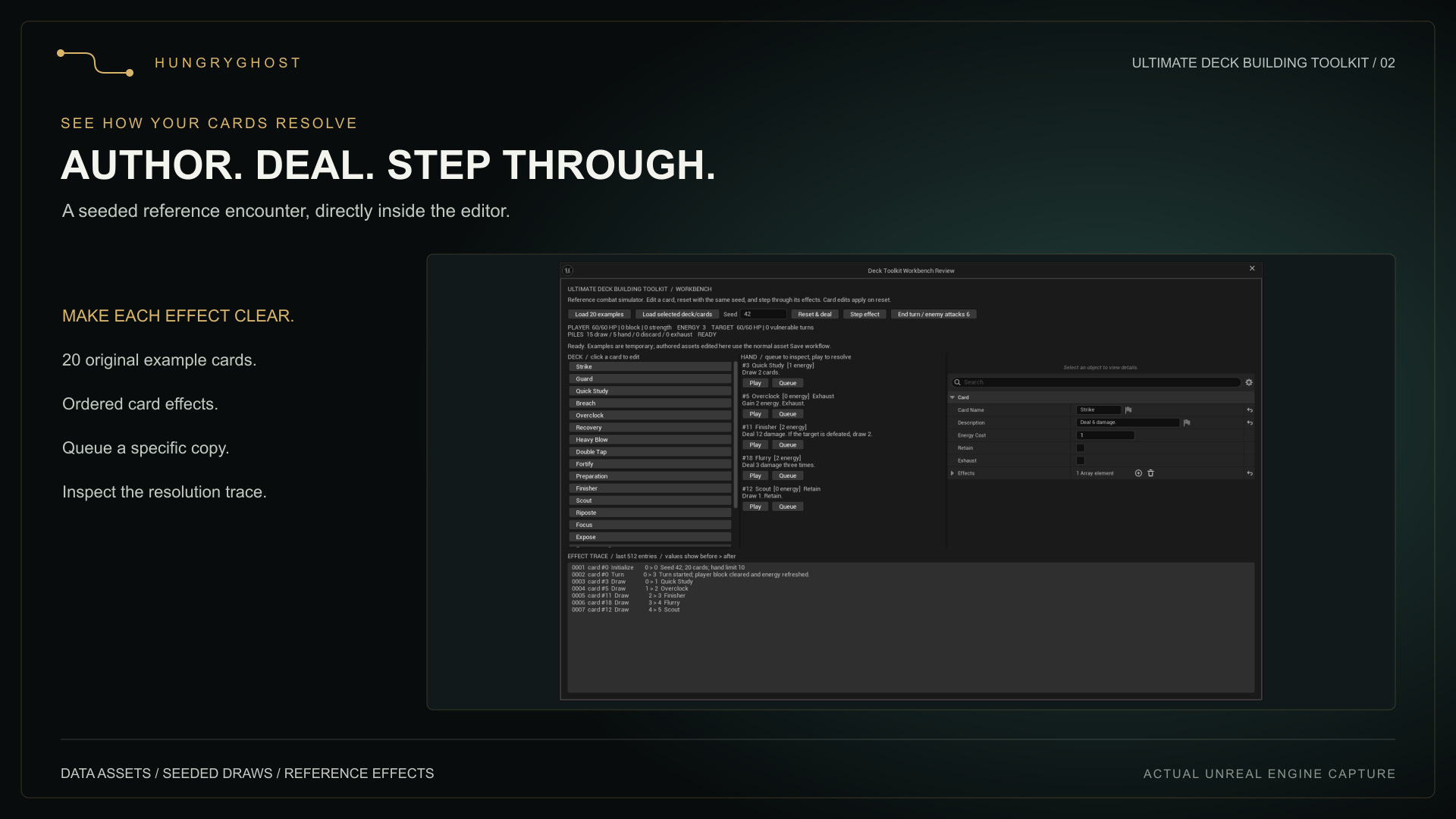
Choose Tools > Deck Workbench. It initially loads the 20 original example definitions. To use your assets, select a deck asset or several card assets in the Content Browser and choose Load selected deck/cards.
A selected deck takes precedence. If multiple decks are selected, the first by asset path is used. Selected individual cards are sorted by asset path; an authored deck preserves its Cards array order.
Edit and reset
Select a card in the deck list to inspect or edit its definition. Save persistent assets using Unreal's normal asset Save workflow. Reset & deal snapshots current definitions and deals a new seeded hand. Editing an asset does not change a simulation already in progress; reset to test the new definition.
Play or step
- Play resolves the selected card copy immediately.
- Queue spends its cost and reserves that instance for resolution.
- Step effect executes the next authored effect. One effect may produce multiple diagnostic trace entries.
- Finish the pending card before playing another card or ending the turn.
- End turn / enemy attacks 6 discards non-retained cards, attacks, ages vulnerable and begins the next turn when both combatants survive.
Read the trace
Inspect the sequence number, card instance, stage, detail and before/after values. The workbench uses the session's bounded 512-entry history. For a damage card, follow the value from base damage through Strength, Vulnerable, Block and Health. Rejected plays explain why and do not spend energy or move cards.
Reproduce a case
Record the engine version, seed, ordered input deck, definitions, hand limit and commands. Reset with the same inputs to reproduce draws within the tested engine version, including reshuffles. Changing deck order or consuming commands in a different order changes the random stream. This is not a serialized encounter replay or a guarantee across engine versions.
Inspect your host game separately
The workbench does not execute arbitrary abilities or observe your game's combat automatically. Use the live trace bridge for explicit instrumentation of your own implementation.